

How to Use TradingView for Binary Options in Kenya
📈 Learn how to use TradingView's charts and indicators for smarter binary options trading in Kenya. Improve strategies, manage risks & connect with brokers!
Edited By
Mia Robinson
TradingView charts have become a staple for many Kenyan traders across different markets, including binary options. These charts offer real-time price movements, clear visualisations, and a wide range of technical indicators, making them ideal for traders who rely on data-driven decisions. Embedding TradingView charts into your binary options platform can bring transparency and valuable insights straight to your dashboard, helping you spot entry and exit points with more confidence.
The charm of TradingView lies in its flexibility—whether you're using a desktop, mobile phone, or tablet, the charts adjust smoothly without compromising on performance. For binary options trading, where you’re predicting whether an asset’s price will move up or down within a short time frame, having swift access to reliable charts is vital.

This article will guide you through the practical steps to implement TradingView charts effortlessly. We'll cover how to embed the charts, select features that fit the binary options context, and customise indicators to suit your trading style. The goal is to help Kenyan traders and platform developers make well-informed decisions with tools that align with local market needs and technological capabilities.
Embedding TradingView charts isn’t just about slapping a graph onto your platform; it’s about tailoring powerful visual data to fit short-term binary trades where every second counts.
In the coming sections, you'll find easy-to-follow steps with clear examples. These will include technical requirements such as using TradingView’s widget or API, picking indicators like RSI or moving averages that suit the binary trade horizon, and tweaking chart layouts for quicker reading. This approach ensures your platform isn’t just visually appealing but genuinely adds value for traders aiming to maximise returns.
Stay tuned as we explore these elements with a focus on usability and performance, recognising the realities of the Kenyan trading environment—from internet speeds to device diversity and payment methods like M-Pesa integrated alongside chart tools. This practical approach is designed to make your binary options trading experience sharper and smarter.
TradingView plays a big role in helping binary options traders make better decisions. In this section, we look at why understanding its features and benefits matters. TradingView offers tools that fit the short-term nature of binary options, giving traders clear charts and timely information.
TradingView provides an extensive range of charting options, allowing traders to see price movements clearly. For example, Kenyan traders analysing currency pairs like USD/KES can switch between candlestick, line, or bar charts easily to spot patterns. The variety of drawing tools lets users mark support and resistance levels, which are essential for planning entry and exit points in binary options.
This platform goes beyond just stocks or forex. It covers commodities, cryptocurrencies, indices, and more. For instance, a trader in Nairobi might be interested in gold prices, crude oil, or Bitcoin—all accessible in one place. This broad coverage lets traders diversify their strategies without switching platforms, saving time and effort.
Having up-to-date market information is a must in binary options since trades can last minutes or hours. TradingView streams real-time data, helping traders spot quick changes in price. Furthermore, users can set alerts that notify them when an asset hits certain levels, like a resistance break for the NSE 20 share index. These alerts come via pop-ups or mobile notifications, helping traders react quickly in volatile markets.
Binary options trading relies on short timeframes—sometimes as brief as 60 seconds. Traders need charts that refresh fast and show immediate price action. TradingView caters to this by offering second-level chart updates, enabling decisions based on current conditions rather than outdated charts.
Because binary options pay off only if a prediction is right within a timeframe, entry and exit clarity is crucial. Indicators like RSI or moving averages on TradingView assist traders in spotting high-probability moments to place trades. For example, after noting an RSI crossing below 30, a trader might decide to buy a 'put' option expecting a price dip.
Managing risk is part and parcel of binary trading. With clear visuals—like Bollinger Bands showing volatility—traders can better judge when to hold back or engage. Plus, many use TradingView’s drawing tools to mark stop-loss or take-profit zones mentally, even though binary options differ from traditional stop losses.
In short, TradingView equips binary options traders with fast, clear charts and real-time signals, aligning perfectly with the fast-paced, precise needs of binary trading.
Integrating TradingView charts into binary options platforms offers traders clear visual tools for quick decision-making. These steps matter because they provide practical ways to embed professional-grade charts without rebuilding complex systems from scratch. This means Kenyan developers can swiftly add reliable market visuals that suit binary options' fast-paced nature, improving user experience and reducing errors.
TradingView provides several ready-made widgets, such as Mini Chart, Technical Analysis, Symbol Overview, and Market Overview. For binary options, the Mini Chart and Technical Analysis widgets are especially useful since they display essential price movements and indicators without clutter. These widgets are designed for easy integration, requiring minimal coding skills.
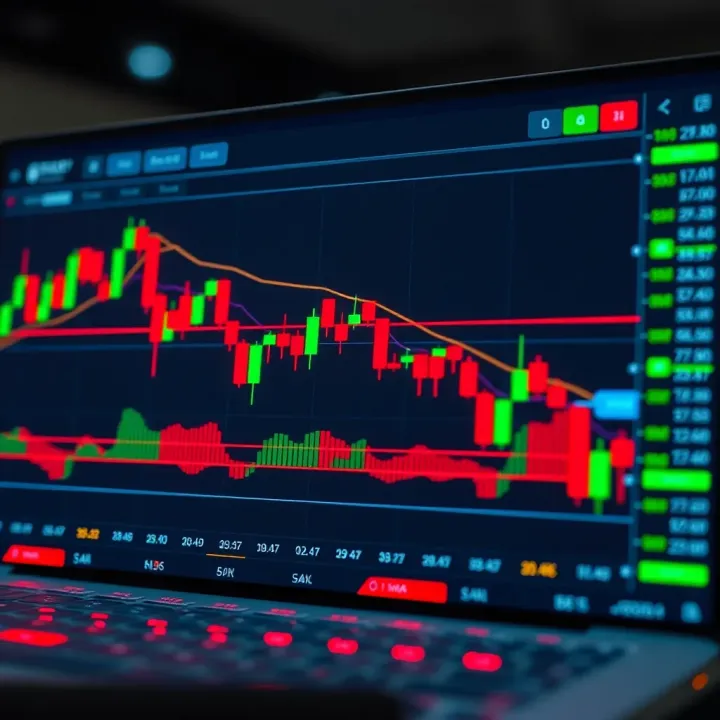
You find these widgets on TradingView's official website under the "Widgets" section. Generating embed codes is straightforward: select the desired widget, customise basic parameters like the financial instrument and timeframe, and copy the generated HTML snippet. This ease of use allows platform owners to add charts quickly without deep programming knowledge.
Embedding charts involves placing the copied widget code into your platform’s HTML where you want the chart to appear. A simple copy-paste in the web page or app container suffices. After embedding, testing follows to confirm the chart loads and matches the chosen parameters like asset and timeframe.
Since many Kenyan traders use mobile devices with varying screen sizes and internet speeds, responsive design is key. Ensure the chart’s container adjusts fluidly to screen dimensions, preventing parts from getting cut off. You can use CSS media queries or flexible grid layouts for this. Responsive charts enhance usability and satisfaction, particularly in areas with inconsistent connectivity.
TradingView’s API lets developers tailor charts beyond default widgets. Basic customisations include changing colours, themes (light or dark), and default recognisable assets. For instance, you might configure the chart to open with Kenyan shilling pairs or popular forex assets frequently traded in Kenya.
Custom indicators can also be integrated using the API, enabling traders to view signals like RSI or Moving Averages directly on the chart. This adds analysis depth without switching windows. Kenyan brokers can build unique indicators suited for local market trends, enhancing relevance.
Adjusting timeframes is crucial in binary options due to the short expiry nature of trades. API settings allow setting default intervals like 1 minute, 5 minutes, or 15 minutes, helping traders spot timely entry and exit points. This tailored visibility aligns chart behaviour with binary trading requirements, improving trader confidence and efficiency.
Embedding and customising TradingView charts bridges the gap between visual market analysis and binary trading execution, boosting practical trading usability on Kenyan platforms.
This straightforward integration approach saves time, cuts costs, and provides a polished experience for traders focusing on quick binary decisions.
Choosing the right chart features is a key step in making binary options trading effective. The right tools not only help in spotting good trade opportunities quickly but also in managing risks better. Since binary options usually depend on short-term price movements, features that provide clear and timely signals are essential.
Moving averages and their role
Moving averages smooth out price data to show the general direction of an asset’s price movement. In binary options, traders often use short-term moving averages like the 10-day or 20-day to catch quick trends. For example, if a 10-day moving average crosses above a 20-day, it might signal a buy opportunity. This helps traders decide entry points without getting overwhelmed by noise.
RSI (Relative Strength Index) for momentum
The RSI measures how fast and how far prices have moved recently, showing whether an asset is overbought or oversold. Typically, an RSI above 70 suggests overbought conditions while below 30 indicates oversold. Binary traders use this to time their trades – say, selling a ‘call’ option when the RSI hits 75, expecting a price drop. It’s a practical way to gauge momentum shifts swiftly.
Bollinger Bands for volatility
Bollinger Bands consist of a moving average and two lines above and below it, showing volatility by expanding or contracting. When the bands tighten, it usually means a price break is coming soon. Binary traders watch for prices touching the upper or lower bands as signals to enter ‘put’ or ‘call’ trades respectively. This helps spot moments where sharp price moves are likely.
Benefits of candlestick charts
Candlestick charts reveal price action clearly by showing open, high, low and close prices for each interval. In binary options, patterns like doji, hammer, or engulfing candles provide quick clues on market sentiment changes. These patterns help traders understand if buyers or sellers are gaining control, aiding in making confident trade calls.
Other chart formats to consider
Besides candlesticks, traders might use line charts for a simple price overview or bar charts for detailed price ranges. Heikin-Ashi charts are also popular as they smooth out price data further, making trends easier to spot. Choosing the right chart type depends on what fits your trading style and how much detail you need quickly.
Identifying setups for binary trades
Successful binary trading often requires spotting specific setups, like a price bouncing off support or resistance with confirming indicator signals. Combining candlestick patterns with indicators such as RSI or moving averages can validate trade signals. For example, a hammer candle plus RSI oversold at a support level signals a strong ‘call’ trade opportunity. This layered approach reduces guesswork and sharpens entry timing.
Selecting features that match your trading style and offer clear, quick insights is vital for binary options where timing and accuracy matter most.
Overall, carefully picking chart features and indicators helps binary traders in Kenya to make more informed decisions, improving both profits and risk control.
Creating a smooth and intuitive user experience (UX) when integrating TradingView charts in binary options trading can make a big difference. Traders rely on fast decisions, so clear visuals and responsive features help reduce mistakes and improve reaction time. Especially in Kenya, where internet speed varies, optimising user experience goes beyond just good design—it’s about making tools practical and accessible under real-world conditions.
Effective use of colours and themes is vital for helping traders quickly spot key information without strain. For instance, using contrasting colours for bullish and bearish candles makes it easier to identify price movements at a glance. Dark themes can reduce eye fatigue, which is important when trading for long stretches, while bright colours highlight alerts or important pivot points. The take-home is to balance visibility with comfort—avoid clashing colours or too many hues that distract or confuse.
Managing screen space and zoom levels ensures that traders see just the right amount of data without clutter. On desktop, multiple charts or indicators can crowd the view, whereas on mobile screens, zoom controls help fishermen catch micro-moves for short binary option windows. Adaptive zoom lets users focus on critical timeframes like 1-minute or 5-minute charts, while still allowing an overview of recent trends. This flexible layout supports both detailed entry points and broader market context.
Setting alerts for trade triggers lets traders act quickly on market conditions matching their strategy. For binary options, alerts linked to key indicators like RSI crossing a threshold or price hitting a specific support level help avoid missing brief opportunities. TradingView’s alert system supports setting these directly on charts, so traders don’t need to watch screens continuously but still get notified instantly when conditions align.
Using mobile and desktop notifications expands accessibility beyond the trading platform itself. Kenyan traders on the go can receive push notifications on mobile phones via the TradingView app or integrated platforms. Similarly, desktop pop-ups ensure alerts get attention even when multitasking. This multi-channel notification approach keeps traders responsive wherever they are, which is essential given the fleeting nature of binary trade expiry times.
Lightweight embedding options play a key role in improving performance under Kenya’s varied internet conditions. TradingView offers options to embed simplified charts with fewer indicators or reduced animations, cutting down on data use and rendering time. For example, embedding a plain candlestick chart with just one or two key indicators can load quickly even on metered mobile networks, supporting traders in more rural or lower bandwidth areas.
Handling slow or unstable connections requires thoughtful design like auto-refresh pauses, caching, or adjustable data update frequencies. Rather than overwhelming the device or connection, charts can refresh on manual prompts or less frequently during low activity. This prevents frustrating freezes or data losses during heavy rain seasons or in areas with spotty coverage. Practical optimisations like these keep the charts functional and the trading decisions reliable.
Improving user experience when implementing TradingView for binary options ensures Kenyan traders can make the right calls fast, reducing risks and enhancing potential gains—without being held back by poor design or unreliable internet.
By focusing on clarity, responsiveness, alerting systems, and connectivity, you create a trading environment that is not only functional but friendly, meeting the real challenges Kenyan traders face daily.
Integrating TradingView charts into binary options platforms can significantly improve trading decisions, but it comes with challenges that must be handled carefully. Kenyan traders and developers often face issues related to data accuracy, API constraints, and display problems. Recognising these common pitfalls and knowing how to address them ensures a smooth user experience and reliable market analysis.
Understanding real-time versus delayed data is vital for binary options trading, where timing is everything. Real-time data updates with no lag, providing current prices essential for short-term trades. Delayed data, which can lag by several seconds or minutes, risks causing missed opportunities or poor entry points. For example, a trader relying on delayed data might enter a trade just as the market swings, leading to losses instead of profits.
Because some market data on TradingView comes delayed, especially for less popular assets or certain exchanges, developers must confirm whether their widgets provide true real-time updates. This is particularly crucial in Kenya, where milliseconds can mean the difference between winning a trade or not.
Choosing suitable market data providers addresses these timing issues. TradingView sources data from various providers, but some are better suited for binary trading, offering continuous and fast feeds with minimal delay. For Kenyan platforms, selecting providers that cover key assets like equities on the Nairobi Securities Exchange (NSE) or commodities important in local markets helps maintain relevance and reliability.
A practical tip would be to prioritise providers with direct exchange feeds over aggregated sources, as this reduces latency and improves accuracy. Testing data freshness regularly also helps avoid surprises during peak trading hours.
Managing usage quotas becomes unavoidable when embedding TradingView charts for many users. TradingView’s API has daily or monthly call limits depending on subscription plans. If a platform exceeds these quotas, data requests will be refused or delayed, disrupting chart updates.
Kenyan developers should optimise API usage, for instance by caching data where possible or limiting request frequency for inactive users. Monitoring API call counts helps avoid sudden blocks, ensuring uninterrupted trading experience, especially during busy market sessions.
Compliance with TradingView's terms is not just a legal formality but key to sustainable integration. TradingView’s licensing outlines permitted use cases and restrictions, such as limits on commercial redistribution or modification of charts. Platforms must adhere to these rules to avoid service interruptions or legal issues.
Before deploying, it’s wise to review TradingView’s terms carefully and, if necessary, seek clarification. This approach not only safeguards the platform but also builds trust with Kenyan traders who expect legitimate, authorised tools.
Cross-browser compatibility is essential because Kenyan traders access platforms from a wide range of devices and browsers, including Chrome, Firefox, Safari, and even some older versions. A chart that looks perfect in one browser but breaks in another frustrates users.
Testing embeds across browsers ensures all traders get the same experience. Developers should use standard HTML5 and JavaScript practices and avoid deprecated elements that might fail on certain browsers.
Responsive design fixes ensure charts are usable on both desktop and mobile devices. Since many Kenyans trade using smartphones and tablets, a chart that does not resize or renders off-screen will lead to poor usability.
Implementing flexible layouts, using relative units (percentages, viewport based), and prioritising important chart elements prevents overcrowding. Also, setting minimum sizes prevents the chart from becoming illegible on small screens.
Common coding errors during embedding include missing API keys, incorrect widget parameters, or syntax mistakes in the JavaScript code. Such errors may cause the chart not to load or behave unpredictably.
Simple validation steps, such as checking console logs for errors, ensuring correct quotes and commas, and testing snippets on isolated pages, help catch these issues early. Kenyan developers may find browser developer tools invaluable for debugging these problems on the fly.
By anticipating these technical and operational challenges and actively addressing them, your TradingView chart integration will serve Kenyan binary options traders reliably, boosting confidence in the platform’s tools and data accuracy.
📈 Learn how to use TradingView's charts and indicators for smarter binary options trading in Kenya. Improve strategies, manage risks & connect with brokers!

Discover how binary bots work with binary options, their benefits and risks, including legal insights for Kenya and beyond 🤖📊💡
Explore binary options trading in Kenya 📈: Understand how it works, learn strategies, legal tips, and risks to trade smart and stay informed.
Looking for reliable binary options brokers in Kenya? Discover how to pick the best with tips on regulation, fees, platforms, and more! 📈💼🇰🇪
Based on 15 reviews